What Is Sender Reputation, and What Actually Moves It?
· 7 min read

Sender reputation is the track record that mailbox providers keep about you: a running judgment of whether the mail you send is wanted. It is the reason two identical emails, one from a domain with a clean history and one from a brand-new domain, can end up in different folders. This guide explains what sender reputation is, how domain reputation differs from IP reputation, which signals actually move it, and how to build it without shortcuts.
What sender reputation actually is
There is no single sender reputation score that every provider shares. Gmail, Yahoo and Microsoft each keep their own view, built from their own data about the mail they receive from you. When people talk about "your sender reputation," they mean the combined picture those providers form over time.
Three things follow from that:
- It is earned per provider. A good history at one provider does not automatically carry over to another.
- It changes with behavior. It rises when recipients want your mail and falls when they complain, ignore it or bounce it.
- It is slow to build and quick to damage. A steady record takes weeks of consistent sending. A single bad campaign can undo a lot of it.
Google describes the idea behind its filtering in its email sender guidelines: senders are expected to authenticate their mail, keep spam complaints low and send messages people want. Reputation is the result of how well you do those things over time.
Domain reputation vs. IP reputation
Two identities get judged, and it helps to keep them apart.
IP reputation follows the server that connects to the receiving mail system. If you send through Google Workspace, Microsoft 365 or a relay such as SES, SendGrid or Mailgun, the IP address is usually shared with other senders, so your IP reputation is partly the provider's and its other customers' doing. You cannot fix a shared IP yourself.
Domain reputation follows the domain in your From address and your authentication records. It travels with you: change the sending tool and the domain keeps its history. That is why providers lean on it more and more, and why a new domain starts with no history at all. Google's Postmaster Tools are built around this view, showing how Gmail sees your domain and your mail's spam rate and authentication results.
The practical rule: you control your domain, so protect it. Treat the domain you send cold email from as an asset you can lose.
The signals providers weigh
Providers do not publish their formulas, and anyone who claims to know the exact weights is guessing. What the providers and the standards do tell us points to the same handful of signals.
- Authentication. Mail that passes SPF, DKIM and DMARC and aligns with your From domain can be tied to you. Mail that does not is treated with suspicion. Our guide to SPF, DKIM and DMARC in plain English shows how to set these up.
- Spam complaints. The strongest negative signal is a recipient pressing "report spam." Google asks senders to keep the user-reported spam rate below 0.1% and to avoid ever reaching 0.3%. Yahoo's sender best practices ask bulk senders to stay under 0.3%.
- Bounces. Sending to addresses that do not exist tells providers you do not keep your list clean.
- Engagement. Replies, messages moved out of spam and messages that are read or starred tell providers people want the mail. Mail that is never touched teaches the opposite.
- Volume consistency. Steady volume looks like a real sender. A jump from zero to hundreds a day looks like abuse. Our article on how many cold emails per day you can safely send goes deeper on pacing.
- Blocklists. Being listed on a list a receiver uses can cause rejections there. If you suspect a listing, see how to check if your domain is listed and what to do next.
- Age and history. A domain that has sent steadily for months is trusted more than one registered last week.
A caution about the complaint rate
One detail trips up many senders. Yahoo's best-practice FAQ explains that it calculates the complaint rate from messages delivered to the inbox, so mail already filtered to spam is not in the denominator. A campaign that mostly lands in spam can therefore show a small complaint rate while still doing damage. A low complaint number alone does not prove your reputation is fine. Look at replies, bounces and where mail actually lands as well.
What actually moves your reputation
It helps to separate the levers that work from the ones that do not.
Moves it up
- Authenticating every domain you send from, and keeping it aligned.
- Sending to people with a plausible reason to hear from you.
- Getting real replies, which is the clearest positive signal.
- Ramping volume gradually and keeping the pattern regular, weekdays and similar daily amounts.
- Honoring opt-outs quickly so people leave instead of reporting spam.
Moves it down
- Complaints, especially a burst of them from one campaign.
- High bounce rates from old, scraped or bought lists.
- Sudden volume spikes from a cold domain.
- Broken or missing authentication after a DNS change or a new sending tool.
- Content and links that look like what spammers send.
Does not move it, whatever you read
- Changing the subject line or removing a few "spammy words" while the list and the volume stay the same.
- Buying a new domain to escape a bad history. The new domain starts with no history and the same habits will damage it again.
- Any tool that claims it can guarantee inbox placement. Nobody can, and we will not either.
Note that nothing on this list is about finding a way around a provider's filters. Reputation is earned by sending mail people want, and the shortcuts tend to cost more than they save.
How to check where you stand
Start with free, official views and your own data.
- Register your sending domain in Google Postmaster Tools to see your spam rate and authentication results for mail sent to Gmail. It needs enough volume to show data.
- Run the free deliverability checker to see your SPF, DKIM, DMARC, MX and blacklist status for any domain.
- Read your replies and bounces. A drop in replies with steady volume, or bounces that name a block, is an early warning.
- Send a small test to mailboxes you control at the major providers and see which folder the mail lands in. It is a rough check, not a measurement.

Building reputation on a new domain
A new domain has no history, so the job is to create a good one before real campaigns depend on it. The order that works:
- Authenticate the domain and confirm the records pass.
- Warm up the mailboxes with gradual, engaged traffic for a few weeks. Our guide to how to warm up a new email domain walks through it.
- Start real sends small, to your best-fit prospects only.
- Raise volume in small steps while bounces and complaints stay low and replies come in.
- Pause the increase the moment a signal worsens, and find the cause before you continue.
Where InboxRampUp fits
InboxRampUp covers the warmup and the visibility parts of this plan. Connected mailboxes join a warmup network and send each other mail on a gradually rising, timezone-aware schedule with natural jitter. The receiving mailboxes open, mark read, rescue from spam, star and reply, which are the engagement signals described above.
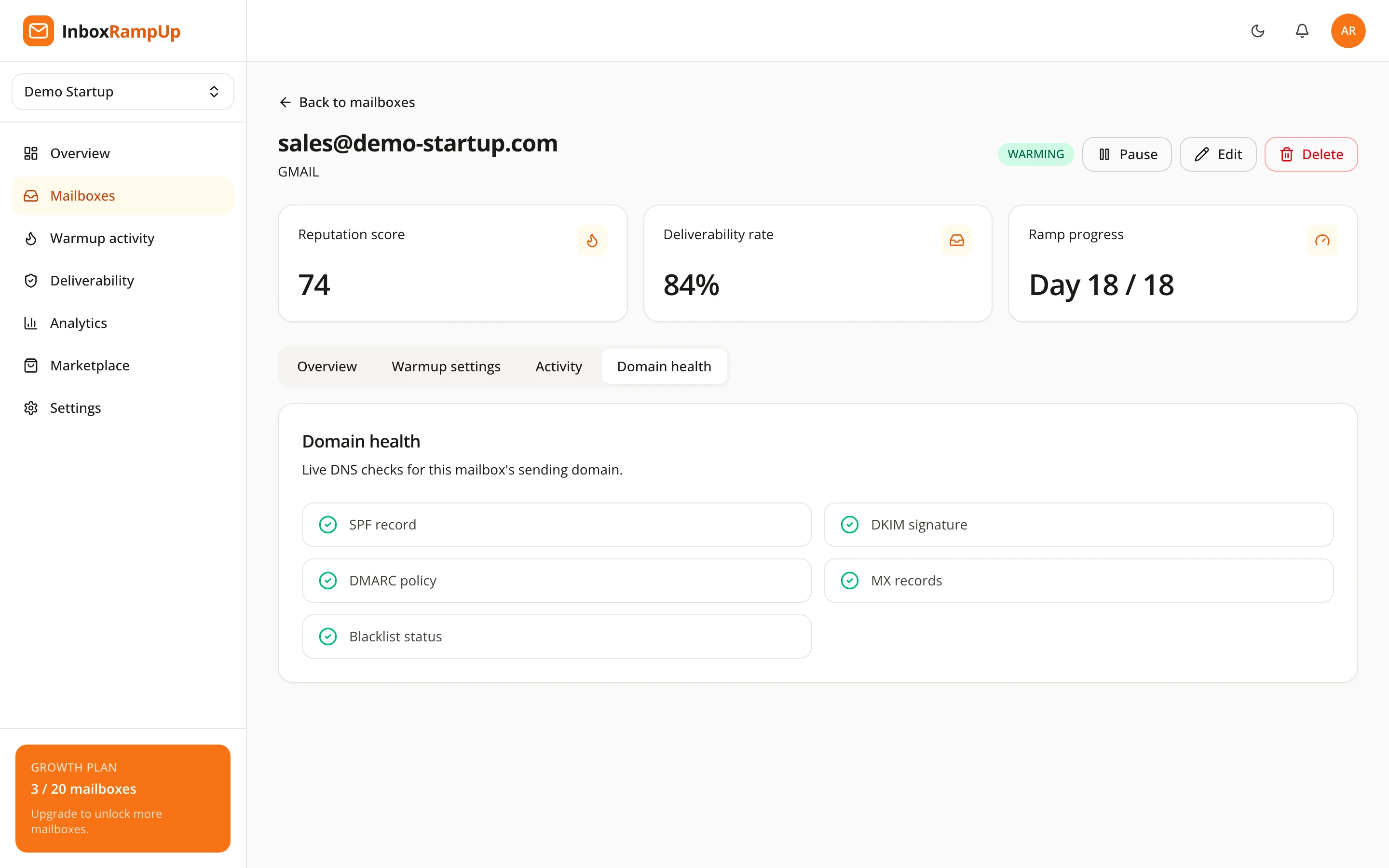
The app also shows a 0-100 reputation score per mailbox, computed live from the real sends and engagement, next to domain health checks for SPF, DKIM, DMARC, MX and blacklists. To be clear about what that is: it is InboxRampUp's own score, not Google's or Microsoft's, and it does not replace Postmaster Tools. It is a way to see your own trend and notice changes as they happen. Warmup builds history and gives you visibility. It does not replace a clean list or relevant messages, and it guarantees nothing about where any message lands.
Frequently asked questions
What is a good sender reputation?
There is no universal number. In practice a good reputation means authenticated mail, complaints well under the published limits (Google asks for below 0.1%), low bounces, real replies and steady volume. Providers judge this over weeks, not days.
How long does it take to build sender reputation?
No one can promise a timeline. A new domain needs a period of gradual, engaged sending before it is trusted, and the time depends on your volume, your list and your engagement. Damage can happen much faster than repair.
Is domain reputation or IP reputation more important?
Both count, but the domain is the identity you control and the one that follows you between tools. If you send through a shared IP, the provider manages that part; focus on the domain.
Can I reset my sender reputation by switching domains?
You can start with a fresh domain, but it begins with no history, and the habits that harmed the old one will harm the new one too. Fix the cause first, then warm the new domain properly.
Can a tool guarantee inbox placement?
No. Placement depends on your authentication, list, content, complaints and recipient engagement. Warmup helps build a track record, but nobody can guarantee where a message lands.
Check where you stand today
Start with the free deliverability checker to see your domain's authentication and blacklist status. When you want warmup, a live reputation score and domain health for every mailbox in one place, start a free trial. No credit card is required, and setup takes under two minutes.
- sender reputation
- email deliverability
- domain reputation
- cold email
- email warmup