Email Blacklists: How to Check If Your Domain Is Listed and What to Do Next
· 7 min read

If replies have dried up or bounces have started mentioning a block, an email blacklist check is one of the fastest things you can do. A blacklist (also called a blocklist or DNSBL) is a list of IP addresses and domains that mail servers have been told to distrust, and being on one can quietly stop your mail from reaching people. This guide explains what these lists are, how to run an email blacklist check on your own domain and IPs, why listings happen, and the order of steps that actually gets you delisted.
What an email blacklist actually is
A DNS blacklist is a database that anyone can query through the DNS. A receiving mail server takes the connecting IP address or the domain in a message, asks the list "is this one of yours?", and uses the answer as one input when deciding whether to accept, filter or reject the message. The general mechanism is described in RFC 5782, "DNS Blacklists and Whitelists".
Three things are worth knowing before you panic:
- There is no single blacklist. There are many lists, run by different organizations with different rules. Being on one obscure list is not the same as being on one that large providers and security gateways rely on.
- Some lists track IPs, others track domains. An IP listing follows the sending server. A domain listing follows the name that appears in your links or your From address. Check both.
- A listing is a signal, not a verdict. Spamhaus, one of the best known list operators, says plainly in its materials that being listed does not automatically mean your mail lands in spam at Gmail or Outlook, because those providers mainly rely on their own reputation systems. A listing can still cause rejections at any server that uses that list.
How to run an email blacklist check
Start with the evidence you already have, then confirm it with a lookup.
- Read your bounce messages. A rejection from a server that uses a list often names it. Spamhaus rejections, for example, mention names such as ZEN, SBL, XBL, PBL or DBL. The exact wording tells you which list to look at.
- Look up the sending IP and the domain. Spamhaus offers an IP and domain reputation checker at check.spamhaus.org that tells you whether an IP or domain is on its blocklists. It replaced the older Blocklist Removal Center, and "Show Details" explains the reason for a listing.
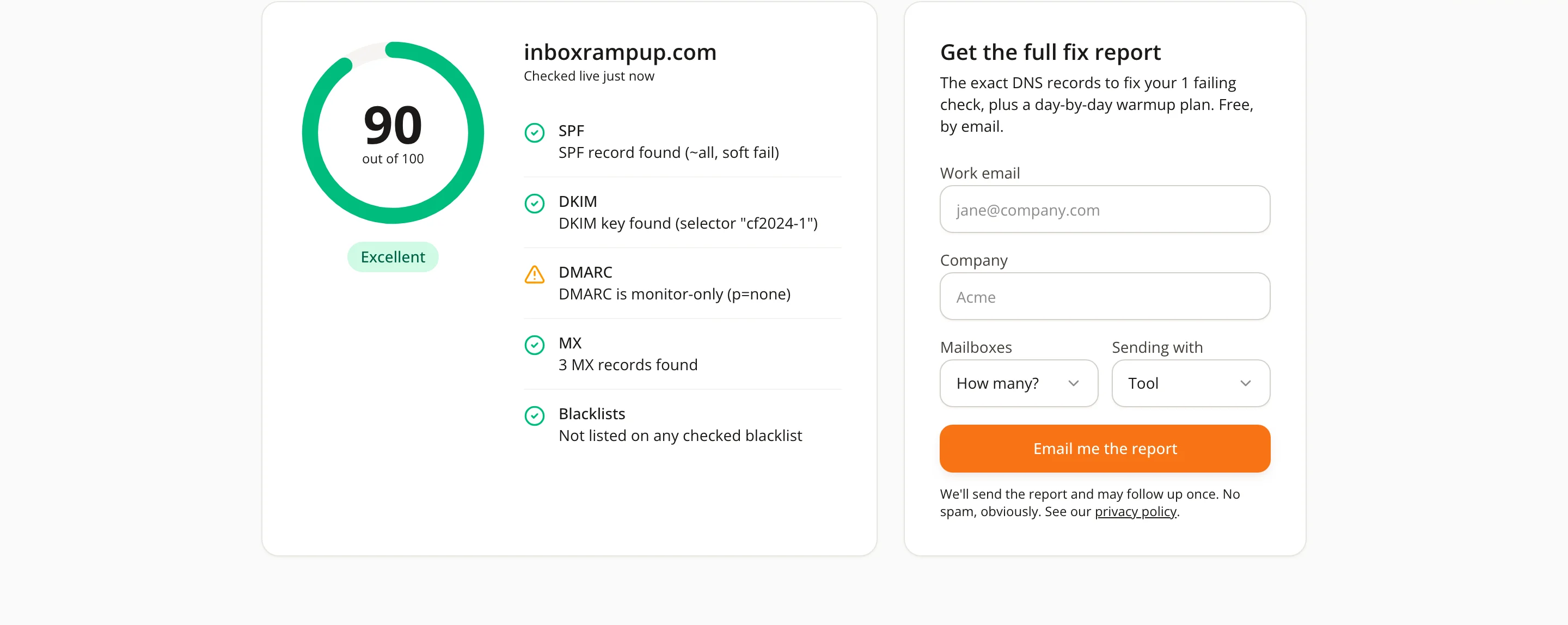
- Use a multi-list checker for the wider picture. InboxRampUp's free deliverability checker tests a domain's SPF, DKIM, DMARC, MX and blacklist status in one run, so you see authentication problems and listings side by side.
- Check the right IP. If you send through Google Workspace, Microsoft 365 or a relay such as SES, SendGrid or Mailgun, the IP that matters is usually the provider's, not yours. If the provider's IP is listed, tell the provider; you cannot delist it yourself.
- Repeat on a schedule. A clean result today says nothing about next month. Run the check before every new campaign and whenever replies drop.
Why domains and IPs get listed
Listings have causes, and finding yours is the whole job. The common ones:
- Spam trap hits. Sending to old, scraped or purchased addresses can reach addresses that exist only to catch careless senders.
- High complaint rates. When too many recipients press "report spam", list operators and mailbox providers notice. Google's email sender guidelines ask senders to keep the user-reported spam rate below 0.1% and never reach 0.3%.
- A compromised account or server. A stolen mailbox password, a hacked website form or an open relay can send spam in your name without you knowing.
- Malware or abuse from the same network. On shared hosting or a shared IP, another customer's behavior can put the whole address on a list.
- A sudden volume jump. A cold domain that goes from nothing to hundreds of messages a day looks like abuse. Our guide on how many cold emails per day you can safely send explains how to avoid that pattern.
A missing or broken authentication setup does not by itself put you on a blacklist, but it makes every other problem worse, because receivers cannot tell your mail from a forgery. If you have not checked your records recently, start with our plain-English guide to SPF, DKIM and DMARC.
What to do next: fix first, then ask for removal
The order matters. List operators generally want to see that the cause is gone before they remove a listing, and a delisting you win without fixing anything tends to be undone the next time your mail trips the same wire.
- Stop the sending that caused it. Pause the campaign or the mailbox. Sending more while listed adds complaints and bounces.
- Find the cause. Look at the listing details, your complaint and bounce data, and recent changes: a new list, a new tool, a new form, a login from an unfamiliar place.
- Fix it. Remove bad addresses and anyone who asked to stop, rotate passwords on any account that may be compromised, close open relays and clean up the form that was abused. Make sure every message has a working way to opt out.
- Confirm authentication. SPF, DKIM and DMARC should pass and align with your From domain.
- Request removal from the list operator. Use the operator's own removal process, such as the one linked from Spamhaus's checker, and describe what you found and what you changed. Do not pay anyone who promises to delist you without a fix; removal requests go to the list operator.
- Come back slowly. After a listing, resume at a lower volume than before and raise it in small steps while bounces and complaints stay low. Our article on Gmail and Yahoo bulk sender requirements lists the thresholds to keep in mind.
No one can promise how long recovery takes, and we will not either. It depends on the list, the cause and how clean your sending is afterward.

How to avoid landing there again
- Send only to people with a plausible reason to hear from you, and remove addresses that bounce.
- Warm up new domains and mailboxes before real campaigns, so they arrive with a sending history instead of a sudden burst.
- Keep complaints well under the limits and honor opt-out requests promptly.
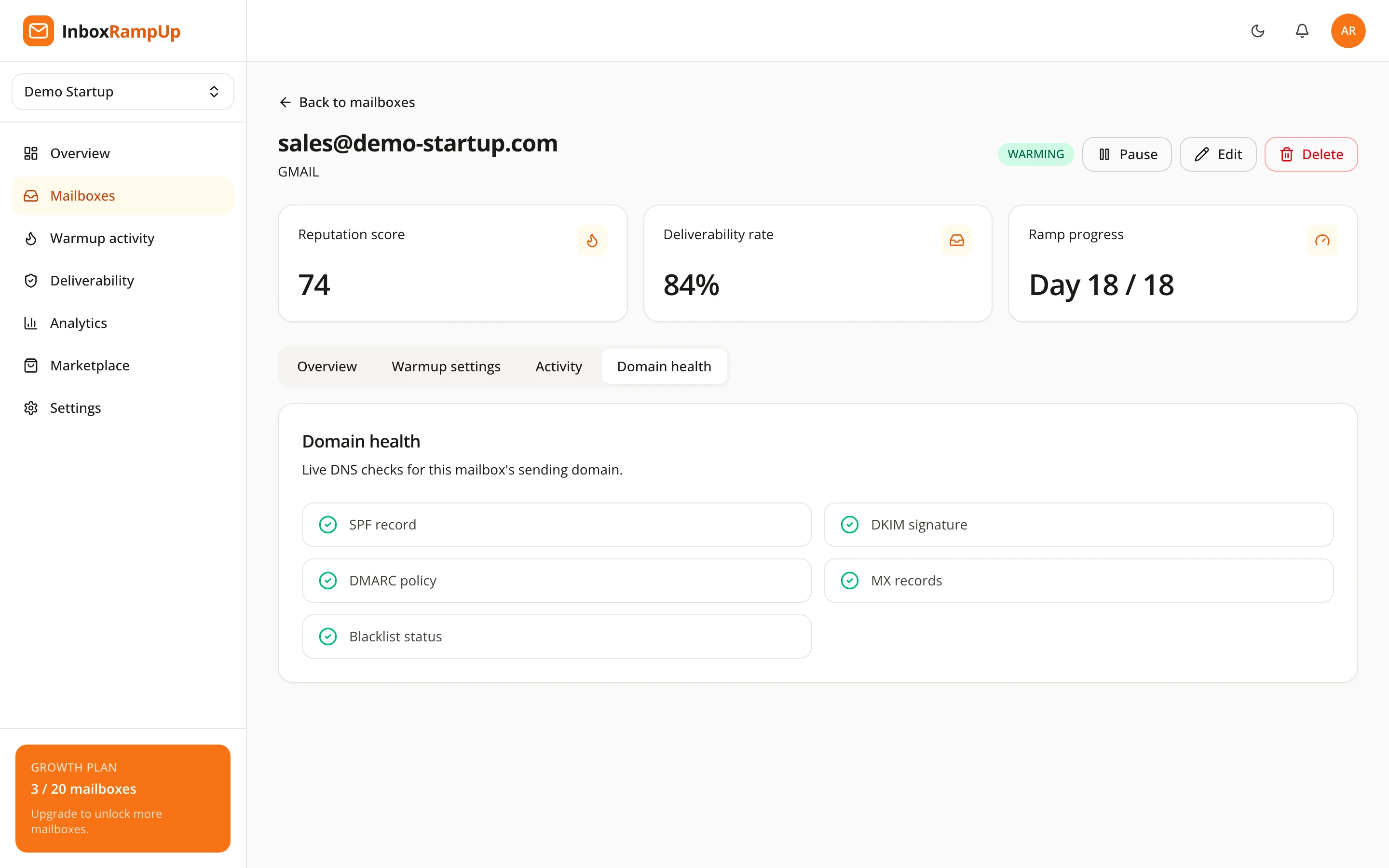
- Watch your domain health continuously. Inside InboxRampUp, domain health shows SPF, DKIM, DMARC, MX and blacklist checks per mailbox, next to the live reputation score, so a change shows up when it happens instead of after a campaign underperforms.
Checks and warmup build history and give you visibility. They do not replace clean lists or relevant messages, and nothing can guarantee where a given message lands.
Frequently asked questions
How do I check if my domain is blacklisted?
Read the bounce messages for the list name, then look up your sending domain and IP in the list operator's own checker, such as Spamhaus's IP and domain reputation checker. A multi-list tool like the free deliverability checker shows blacklist status along with SPF, DKIM, DMARC and MX in one run.
Does being blacklisted mean all my email goes to spam?
Not necessarily. Large mailbox providers rely mainly on their own reputation systems. A listing matters most at servers and gateways that use that particular list, so look at where your bounces and drop-offs actually happen.
Can I pay to be removed from a blacklist?
You should not need to. Removal requests go to the list operator, who generally wants evidence that the cause is fixed. Be careful with anyone who sells delisting without asking what went wrong.
How long does delisting take?
It varies by list and by cause, and no one can promise a timeline. Fix the cause first and send the removal request with what you changed.
What if the blacklisted IP belongs to my email provider?
If you send through a shared IP at Google, Microsoft or a relay service, you cannot delist it yourself. Tell the provider, and if the problem persists, consider whether a dedicated sending setup fits your volume.
Check your domain before your next campaign
Run the free deliverability checker on your sending domain to see its authentication records and blacklist status today. When you want those checks to run alongside warmup and a live reputation score for every mailbox, start a free trial. No credit card is required, and setup takes under two minutes.
- email deliverability
- email blacklist
- spamhaus
- cold email
- domain reputation