Gmail and Yahoo Bulk Sender Requirements: What Cold Emailers Need to Know
· 6 min read

The Gmail bulk sender requirements changed what "good enough" email setup means. Google and Yahoo now publish clear rules on authentication, unsubscribe links and spam complaints, and cold emailers are often surprised to find those rules reach them too. This guide walks through what each provider actually says, who counts as a bulk sender, and what applies to you even if you send only a few hundred messages a day.
One note before we start: we quote only what Google and Yahoo publish, and we link to the source for each point. Providers update these pages, so treat the linked pages as the final word.
Who counts as a bulk sender?
Google's email sender guidelines define a bulk sender as one that sends close to 5,000 messages or more to personal Gmail accounts within a 24-hour period. Volume is counted per primary domain, so mail from your subdomains adds to the same total. Google also notes that once a domain is treated as a bulk sender, that status does not expire.
Yahoo asks bulk senders to meet its requirements in its sender best practices. The practical point is the same for both: crossing a volume line adds obligations, but the baseline rules apply to everyone.
If you run outbound from several mailboxes on one domain, add the volume up. Ten mailboxes sending 500 messages a day each already reach 5,000 on that domain.
What applies to every sender
Google's guidelines separate rules for all senders from extra rules for bulk senders. The ones for all senders are the baseline:
- Authenticate your mail. Google says all senders to Gmail need to set up SPF or DKIM, and that Google recommends setting up SPF, DKIM and DMARC for your domains.
- Use TLS for the connection when sending to Gmail.
- Keep spam complaints low. Google asks you to keep the user-reported spam rate below 0.1% and to avoid ever reaching 0.3% or higher.
- Make the From domain line up. For direct delivery to personal Gmail accounts, the From domain needs to align with the SPF or DKIM domain. Google says only one of the two has to be aligned.
None of this is exotic. If you have not yet checked these records, our guide to SPF, DKIM and DMARC in plain English covers them step by step.
What changes at bulk volume
For senders at bulk volume, the requirements tighten. Google's guidelines list these additions:
- SPF, DKIM and DMARC, all three. A bulk sender needs all three, not one or the other.
- A DMARC policy. Yahoo's minimum for bulk senders is a valid DMARC policy of at least
p=none, and DMARC has to pass. Yahoo also recommends moving to enforcement (p=quarantineorp=reject) if you have a spoofing problem. - One-click unsubscribe for marketing and subscribed mail. Google asks for support for one-click unsubscribe in marketing and subscribed messages. Yahoo asks for a
List-Unsubscribeheader that supports one-click, with the POST method from RFC 8058 highly recommended, and says a link in the message body alone does not meet the requirement. Yahoo also says unsubscribe requests must be honored within two days. - Transactional mail is different. Yahoo states that the one-click requirement does not apply to transactional messages such as order confirmations and password resets.
The spam rate: the number to watch
Both providers care most about one number: how often recipients press "report spam." Google's guidance is to stay below 0.1% and never reach 0.3%. Yahoo's best practices ask bulk senders to stay under 0.3% complaints and offer a complaint feedback loop so you can suppress anyone who complains.
Yahoo's FAQ adds a detail worth knowing: it calculates the complaint rate from messages delivered to the inbox. Mail that was filtered to spam is not in the denominator, so a campaign that mostly lands in spam can show a misleadingly small complaint rate. Do not read a low complaint rate on its own as a sign things are fine.
For Google, the stakes are written down: bulk senders whose user-reported spam rate is above 0.3% become ineligible for Google's mitigation, and regaining eligibility requires keeping the rate below 0.3% for seven consecutive days.
Google's free Postmaster Tools show your spam rate and authentication results for mail sent to Gmail, so register your sending domain there.
What cold emailers should do with this
Cold email at low volume often sits below the bulk line, but the practical advice is the same whichever side you are on:
- Authenticate everything. Set up SPF, DKIM and DMARC on every domain you send from, and check that the From domain aligns with at least one of SPF or DKIM. Do this before the first message, not after the first bounce.
- Publish a DMARC record. Even
p=nonewith a reporting address is better than nothing, and it is Yahoo's stated minimum for bulk senders. - Make leaving easy. Put a working unsubscribe mechanism in every message, honor requests promptly, and use the List-Unsubscribe header if your sending tool supports it. People who cannot leave easily click "report spam" instead, and that is the signal that does the damage.
- Spread volume across domains and mailboxes carefully. A sender who grows past the bulk line is held to the stricter rules for good, so plan volume per domain rather than hoping it stays small.
- Keep the list clean. Send to people with a plausible reason to hear from you, remove addresses that bounce, and stop contacting anyone who complains.
- Warm up new domains. Authentication makes you eligible to be trusted; it does not give you a sending history. A new domain should ramp volume gradually, as we describe in how to warm up a new email domain.
A note on intent: these rules protect recipients. Nothing here is about finding a way around a provider's filters. Senders who follow the rules and send mail people want are the ones who do well over time.
Monitoring so you notice early
The rules are easy to meet once and easy to drift out of. A DNS change, a new sending tool or a forgotten subdomain can quietly break alignment. That is why continuous checks beat a one-time audit.
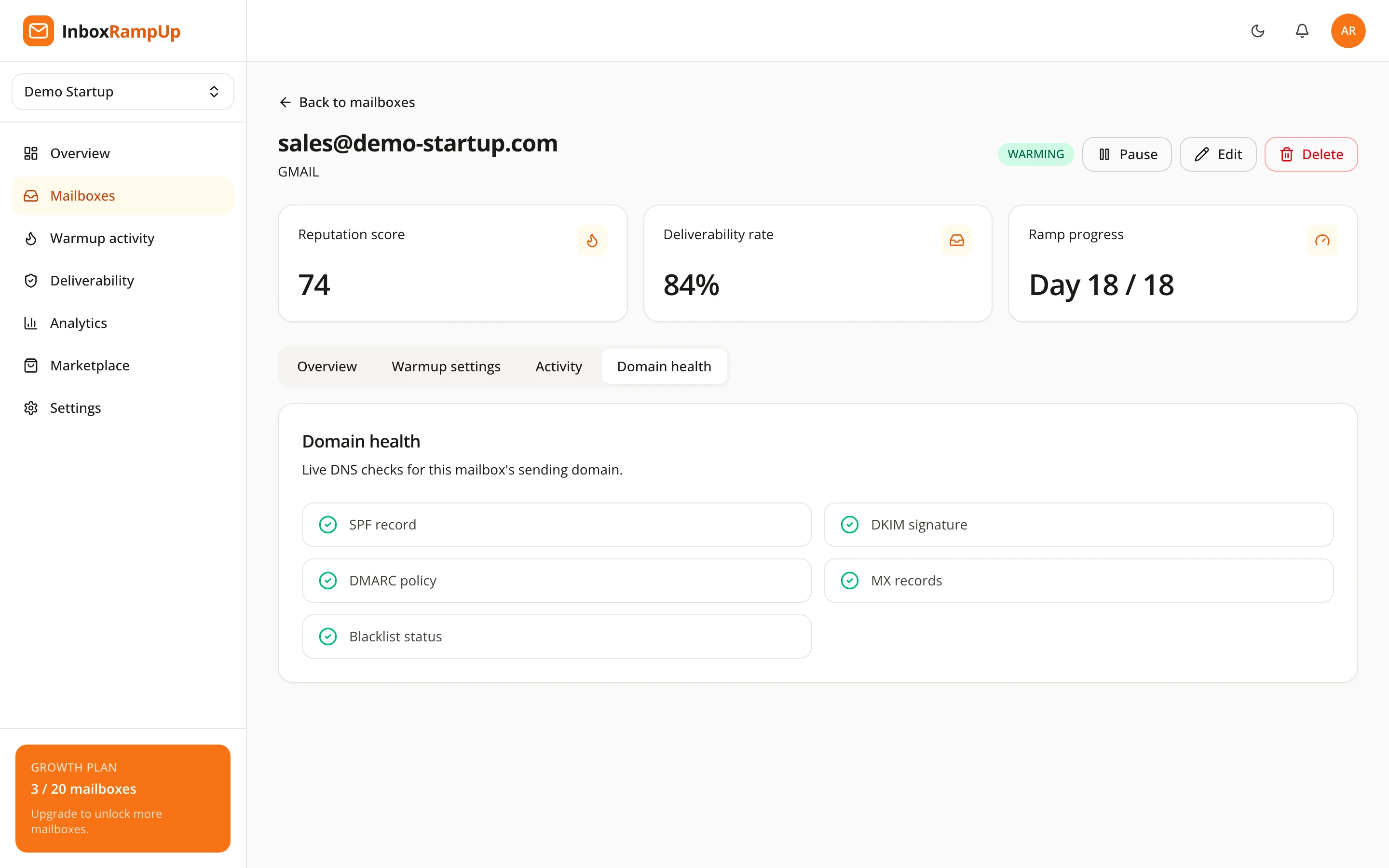
InboxRampUp runs live domain health checks for SPF, DKIM, DMARC, MX and blacklists on your connected mailboxes, and its warmup network builds sending history on a gradual, timezone-aware schedule. It does not replace unsubscribe handling or list quality, which stay your responsibility, and it does not guarantee where any message lands.

You can also run the free deliverability checker against any domain to see its authentication records and blacklist status.
Frequently asked questions
Do the Gmail bulk sender requirements apply if I send fewer than 5,000 emails a day?
The extra bulk requirements do not, but the baseline does: Google says all senders to Gmail need to authenticate with SPF or DKIM and should keep spam rates low, and it recommends all three of SPF, DKIM and DMARC. Volume counts per primary domain, so add up your mailboxes.
What is the maximum spam rate Gmail and Yahoo allow?
Google asks you to stay below 0.1% and not to reach 0.3% or higher. Yahoo asks bulk senders to stay under 0.3%. Treat 0.1% as the target and 0.3% as the line you must not touch.
Is a link in the email body enough for one-click unsubscribe?
According to Yahoo, no. It asks for a List-Unsubscribe header that supports one-click, with the RFC 8058 POST method highly recommended. A visible link is still good practice for readers.
Does DMARC have to be set to reject?
No. Yahoo's stated minimum for bulk senders is a valid DMARC policy with at least p=none, and DMARC must pass. It recommends enforcement if you have a spoofing problem.
Does meeting these requirements guarantee my mail reaches the inbox?
No. The rules are the entry ticket. Where a message lands also depends on your sending reputation, recipient engagement, complaints and content.
Check your setup, then build the reputation
Start with the free deliverability checker to see how your domain's authentication looks today. When you are ready to warm up your mailboxes and watch their domain health in one place, start a free trial. No credit card is required, and setup takes under two minutes.
- email deliverability
- gmail bulk sender requirements
- yahoo sender requirements
- cold email
- dmarc