How to Warm Up a New Email Domain Before Your First Cold Campaign
· 6 min read
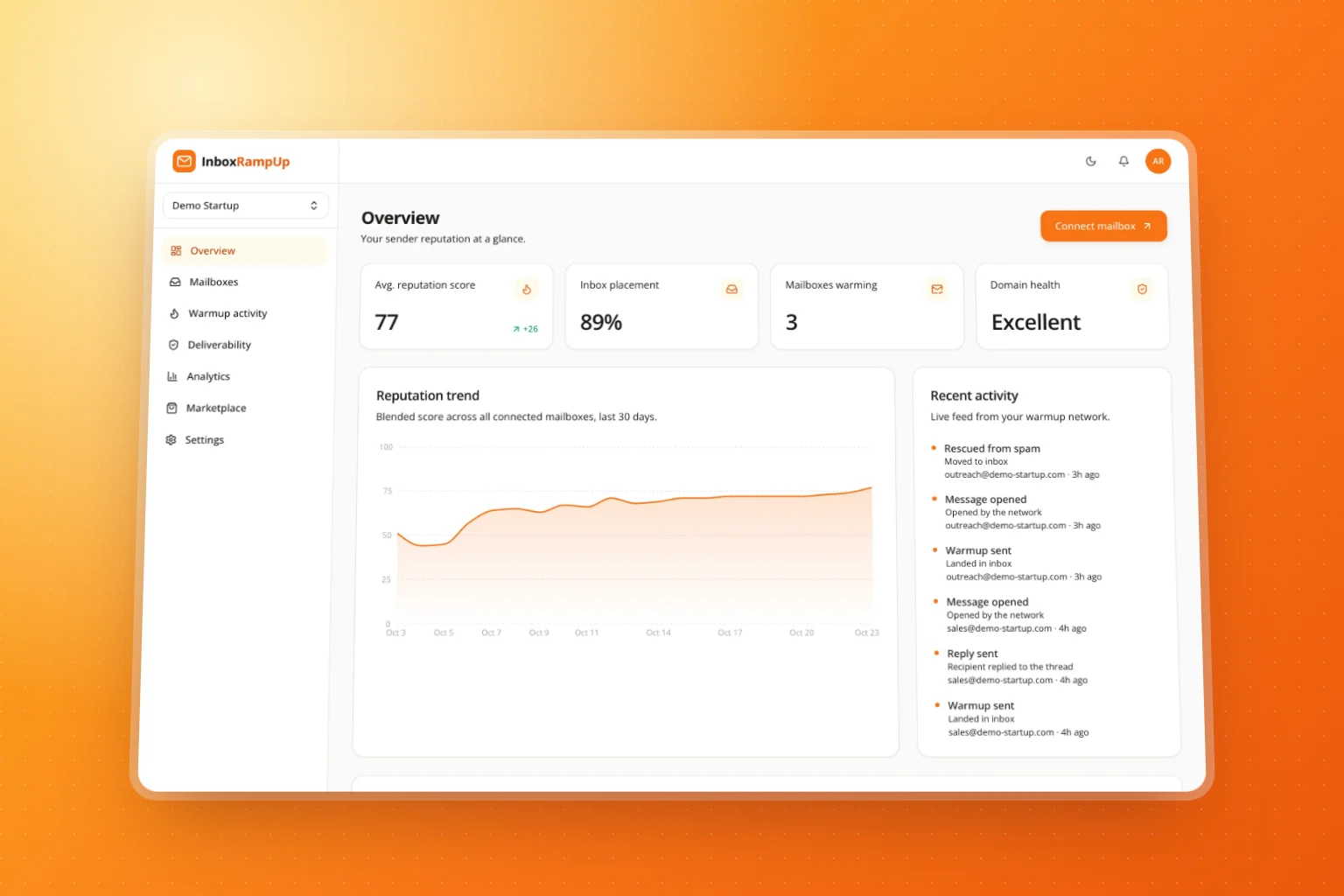
You bought a fresh domain for outbound, set up three inboxes, loaded a list and hit send. Two days later the reply rate is close to zero, and a test email lands in spam. Nothing is wrong with the copy. The problem is simpler: a new domain has no sender reputation, and mailbox providers treat mail from a sender they've never seen with suspicion.
This guide shows how to warm up a new email domain before your first cold campaign: what to set up on day zero, how fast to ramp, and how to tell when you're ready.
Why a new domain lands in spam
Gmail, Outlook and Yahoo decide where a message goes largely on what they know about the sender: whether the domain authenticates its mail, how much it sends, and how recipients react to it. A domain registered last week has no history at all. If its first act is to send a few hundred near-identical messages to strangers, it looks exactly like the spam the filters are built to stop.
Warmup gives the filters a history before you need it. You send a small amount of mail that people open, reply to and rescue from spam, and you raise the volume gradually. By the time your campaign starts, the domain has a track record of being wanted.
Step 1: Authenticate the domain before you send anything
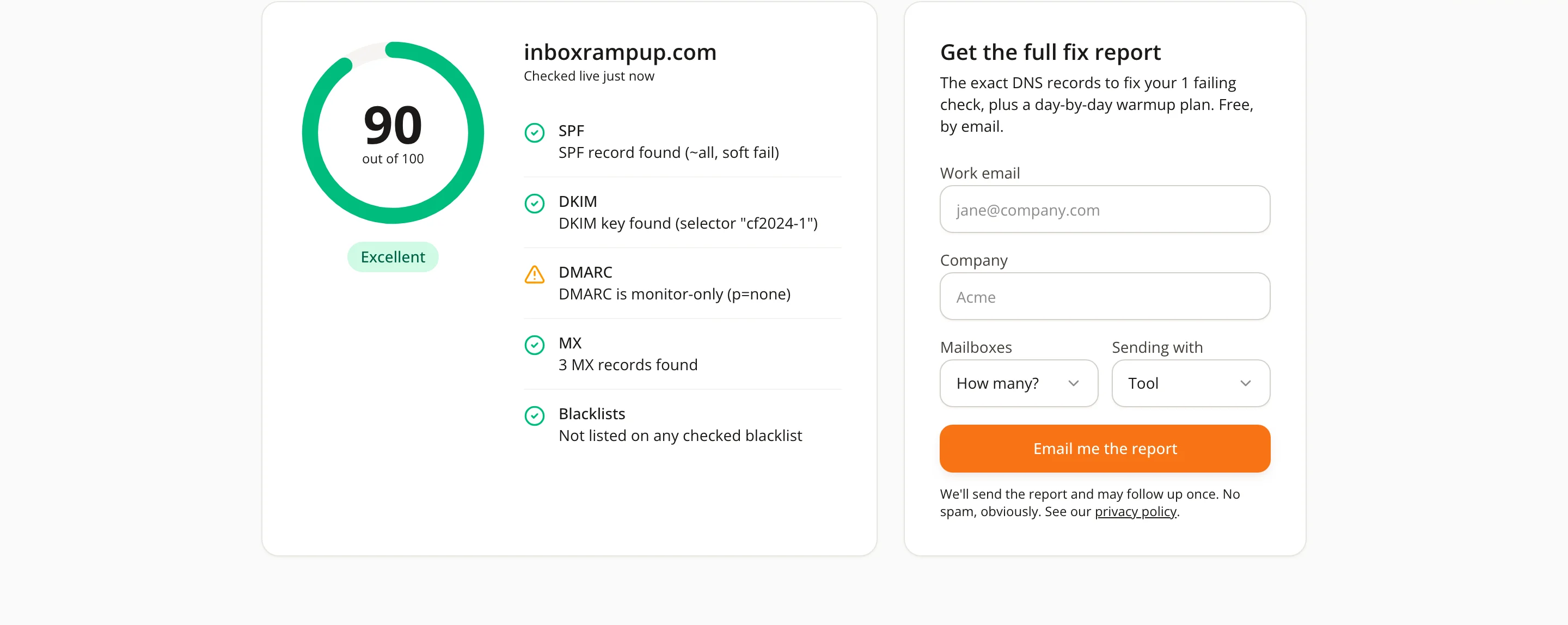
Warmup can't make up for missing authentication, so set up DNS first:
- SPF: one TXT record listing the services allowed to send for your domain (your mailbox provider, and any sending tool). Exactly one SPF record, ending in
~allor-all. - DKIM: turn on signing in your mailbox provider and publish the public key it gives you. Without it, receivers can't verify the message wasn't altered.
- DMARC: a TXT record at
_dmarc.yourdomain.com. Start withp=noneand a reporting address so you can see who sends as you, then tighten it toquarantineorrejectonce everything legitimate passes. - MX: the domain should be able to receive mail. Replies have to land somewhere, and a domain that can't receive looks throwaway.
This isn't optional for bulk senders any more. Google's email sender guidelines require SPF, DKIM and DMARC for anyone sending 5,000 or more messages a day to Gmail accounts, and Yahoo's sender best practices set the same bar. Even below that volume, authenticated mail is simply treated better.
You can check all of this in a minute with the free deliverability checker: it runs live SPF, DKIM, DMARC, MX and blacklist checks on any domain and scores it out of 100.
Step 2: Ramp up like a person, not a script
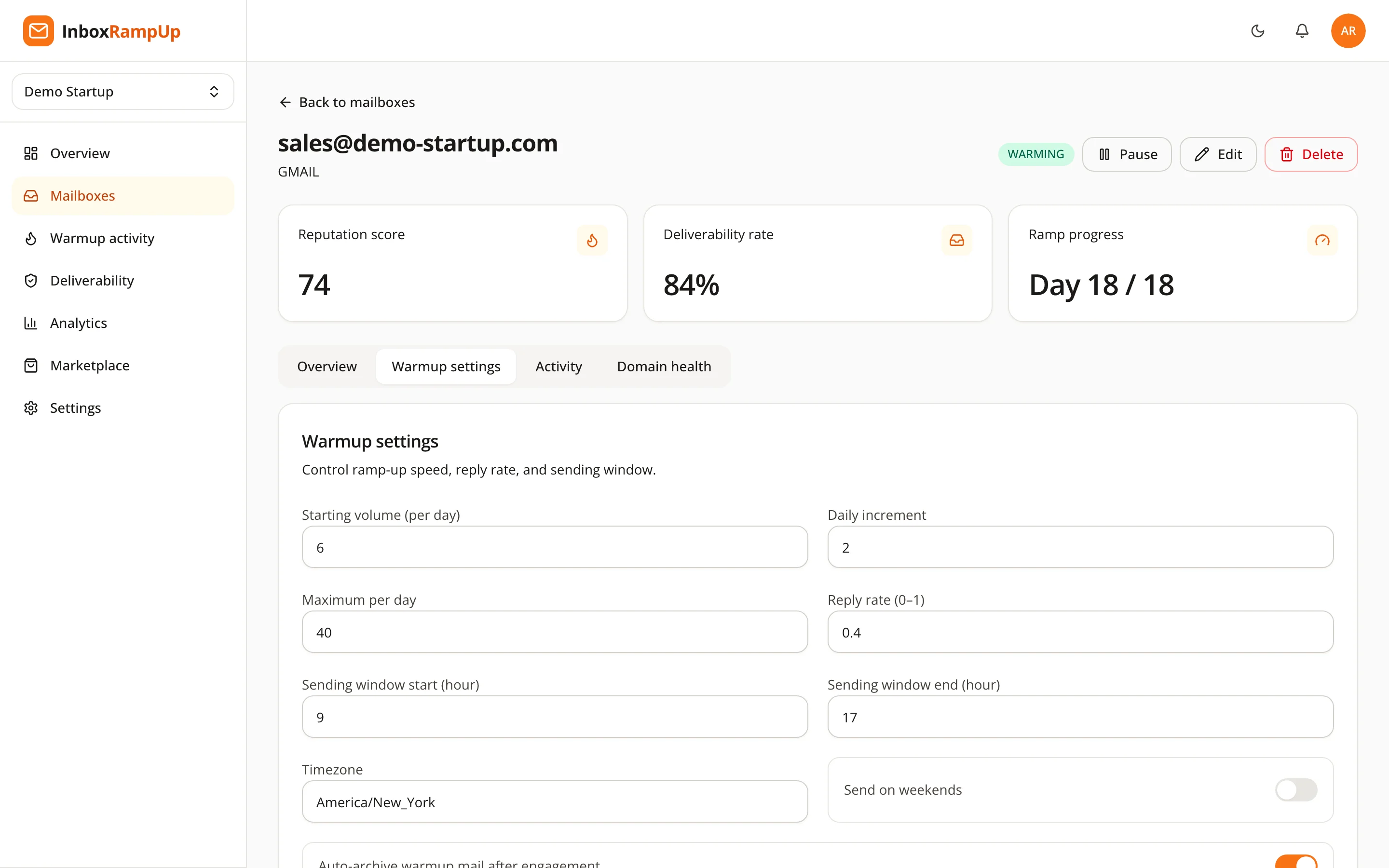
The core of warmup is the ramp: start with a handful of emails a day and add a few more each day until you reach your target. A reasonable starting point for a new mailbox:
- Days 1–3: around 4–8 warmup emails a day.
- Each following day: add about 2.
- Cap: around 40 a day per mailbox for warmup traffic, reached after two to three weeks.
The exact numbers matter less than the shape. What filters dislike is a sudden jump, like zero emails yesterday and 300 today. Keep the curve smooth and keep it going on weekdays without long gaps. If you pause for a long time, start the ramp again rather than jumping straight back to full volume.
Two details make the traffic look human:
- A sending window in your own timezone. People send during their working day. A burst at 3 a.m. local time is a pattern filters notice.
- Jitter. Real senders don't fire an email every 14 minutes on the dot. Vary the gaps.
Step 3: Earn engagement, not just volume
Sending more mail is only half of it. What builds reputation is how recipients react: opening, replying, marking a message important, and moving it out of spam into the inbox. These are the strongest positive signals a mailbox provider gets.
That is what a warmup network does. Your mailbox exchanges mail with other real mailboxes, and each message gets opened, often replied to, and rescued from spam if it lands there. In InboxRampUp, connected mailboxes join that network and the engagement happens automatically, on the ramp you set. Warmup messages can be archived automatically once they've been engaged with, so they don't clutter your inbox.
Step 4: Watch the numbers before you launch
Don't guess when you're ready. Track three things per mailbox:
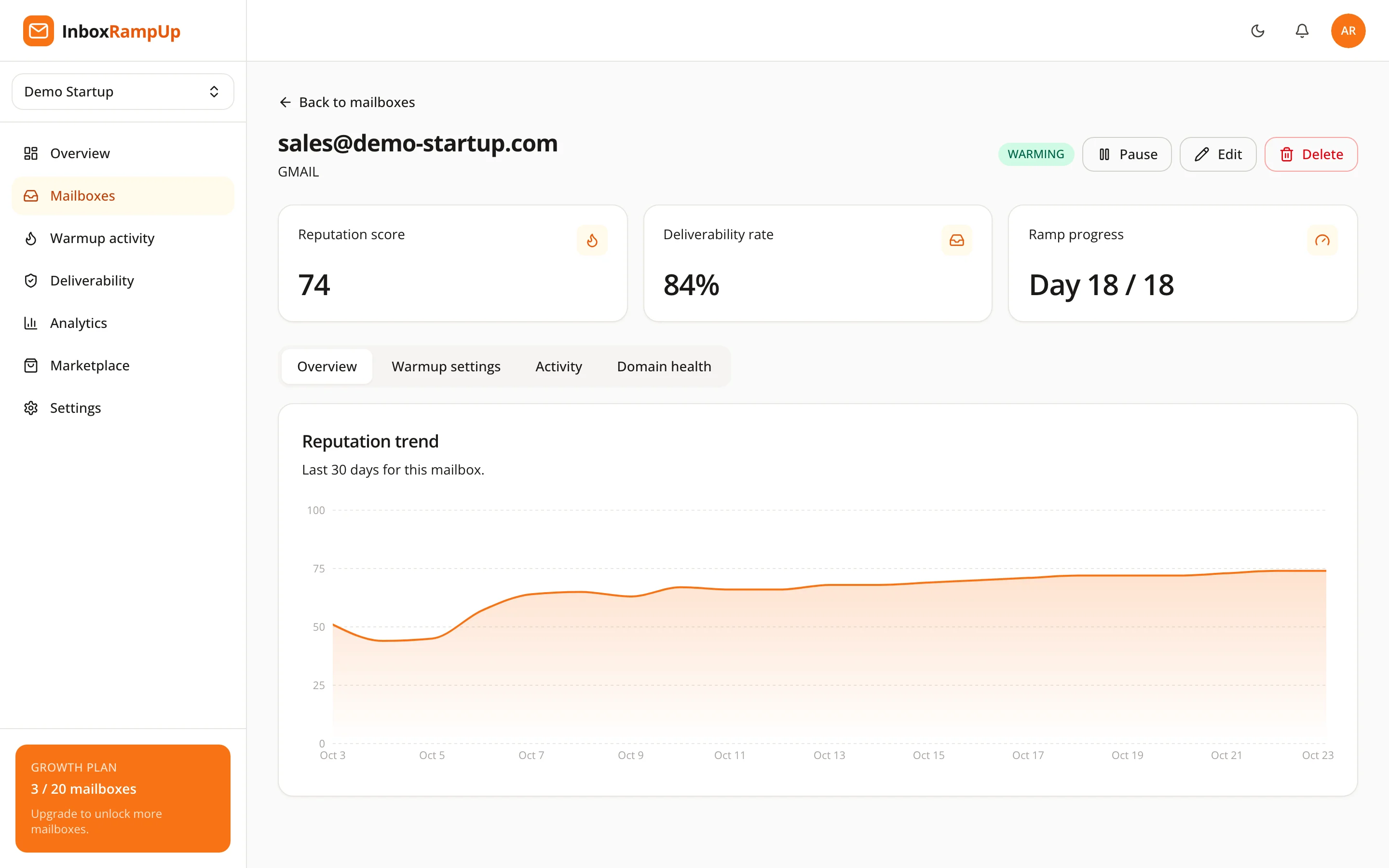
- Reputation over time. It should climb and then hold steady as the ramp reaches its cap.
- Where warmup mail lands. A rising share of inbox (rather than spam) placements is the clearest sign the domain is trusted.
- Domain health. SPF, DKIM, DMARC and MX should stay green, and the domain should stay off blacklists.
Step 5: Start the campaign slowly, and keep warming
When the reputation has been stable for several days and the domain checks are clean, start the real campaign, at modest volume first. Keep warmup running alongside it: it keeps positive engagement flowing while campaign mail, which naturally gets fewer replies, starts to count.
A few habits protect what you've built:
- Send campaigns from several warmed mailboxes rather than pushing one mailbox hard.
- Verify your list and remove addresses that bounce.
- Make it easy to opt out, and honor it. Spam complaints undo weeks of warmup quickly; Google's guidelines ask bulk senders to keep their spam rate below 0.3%.
- Recheck DNS after any change to your sending tools. A new tool usually means a new SPF include and a new DKIM key.
How long does it take?
Plan on two to four weeks for a brand-new domain before meaningful cold volume. Mailboxes on an older domain with a clean history can move faster; a domain that already got into trouble may need longer, and a fix for whatever caused it first. The ramp is the minimum, not the goal: you're ready when the numbers say so.
FAQ
Can I skip warmup if my copy is good?
No. Filters judge the sender before they read the copy. A great email from an unknown domain at high volume still looks risky.
Should I warm up the main company domain or a separate one?
Many teams send cold email from a separate domain (for example getyourcompany.com) so a mistake there can't hurt the main domain's mail. Each of those domains needs its own authentication and its own warmup.
Do I stop warming up once the campaign starts?
Keep it running. Steady positive engagement helps balance out campaign mail, and it gives you an early warning if something changes.
InboxRampUp runs the whole process for you: a gradual, timezone-aware ramp with natural jitter, real engagement from a network of mailboxes, and a live reputation score with SPF, DKIM, DMARC, MX and blacklist checks for every mailbox. Start a free trial, no credit card required.
- Email warmup
- New domain
- Cold email
- Sender reputation