SPF, DKIM and DMARC Explained in Plain English (and How to Check Yours)
· 7 min read

If you send email from your own domain, three short DNS records decide whether mailbox providers believe you are who you say you are: SPF, DKIM and DMARC. This guide is SPF DKIM DMARC explained in plain English: what each record proves, how the three fit together, the mistakes that quietly break them, and how to check your own setup in a few minutes.
Why does it matter? Google's email sender guidelines say that all senders to Gmail need to authenticate with SPF or DKIM, that bulk senders (more than 5,000 messages a day to Gmail accounts) need SPF, DKIM and DMARC, and that Google recommends setting up all three for your domains. Messages that are not authenticated may be marked as spam or rejected. Yahoo publishes similar expectations in its sender best practices. Even if you send far fewer than 5,000 messages a day, authentication is the baseline every provider looks at before it looks at anything else.
The one-sentence version of each record
- SPF says which servers are allowed to send mail for your domain.
- DKIM adds a cryptographic signature that proves a message was not changed and that your domain vouches for it.
- DMARC tells receivers what to do when SPF and DKIM do not line up with the domain in the visible From address, and where to send reports about it.
None of the three, on its own, says "this email is good." Together they say "this email really comes from this domain." Reputation, which is built from how recipients treat your mail over time, is a separate question.
SPF: who may send for your domain
SPF (Sender Policy Framework, specified in RFC 7208) is a TXT record on your domain that lists the servers and services allowed to send as you. A receiving server looks at the domain in the message's envelope sender (the "return-path"), fetches that record and checks whether the connecting server is on the list.
A typical record looks like this:
v=spf1 include:_spf.google.com include:sendgrid.net -all
Read it left to right: it starts with the version, authorizes the servers named by two include: entries, and ends with -all, which says "everything else should fail." You will also see ~all (soft fail), which is more forgiving.
The SPF mistakes that bite most often
- Two SPF records. A domain must publish a single SPF record. If you add a second TXT record starting with
v=spf1instead of merging it into the first, SPF evaluation returns an error. Merge new services into the existing record. - Too many lookups. RFC 7208 limits an SPF check to 10 terms that require a DNS lookup (
include,a,mx,existsandredirectall count). Go over the limit and receivers treat the result as a permanent error. Stacking several sending tools, each with its owninclude:, is how teams hit it by accident. - Forgetting a sender. The marketing tool, the help desk and the CRM may all send as your domain. If one is missing from the record, its mail fails SPF.
DKIM: a signature your domain stands behind
DKIM (DomainKeys Identified Mail, specified in RFC 6376) works with a key pair. Your sending service signs each message with a private key. You publish the matching public key in DNS under a name called a selector, such as selector1._domainkey.example.com. The receiver reads the signature in the message header, looks up the public key and verifies it.
Because the signature covers parts of the message, DKIM also shows the message was not altered on the way. And unlike SPF, a DKIM signature usually survives forwarding, which is why DMARC leans on it.
What to check for DKIM
- The selector exists in DNS. A signature that points at a selector you never published fails.
- Every sending service signs with your domain. Many tools sign with their own domain by default. For DMARC to count the signature, it must be made with a key for your domain (that is the "alignment" point below).
- Keys are rotated deliberately. If you rotate, publish the new selector before switching the sender over.
DMARC: the policy that ties them together
DMARC (Domain-based Message Authentication, Reporting and Conformance, specified in RFC 7489) adds two things on top of SPF and DKIM.
First, alignment. A message passes DMARC only if SPF or DKIM passes and the domain that passed matches the domain in the visible From address. This is what stops a stranger from sending mail that passes SPF for their own domain while showing yours in the From line.
Second, a policy for messages that fail, published as a TXT record at _dmarc.yourdomain.com:
v=DMARC1; p=none; rua=mailto:dmarc-reports@yourdomain.com
The p= tag has three values:
p=none: monitor only. Failing mail is delivered normally, but you receive aggregate reports.p=quarantine: ask receivers to treat failing mail as suspicious, typically by sending it to spam.p=reject: ask receivers to refuse failing mail outright.
The rua= address is where receivers send daily aggregate reports, which show who is sending mail as your domain and whether it passes.
The safe path from p=none to enforcement
A common mistake is leaving DMARC at p=none forever. It satisfies a checkbox but protects nothing. A safer path:
- Publish
p=nonewith aruaaddress and collect reports for a few weeks. - Use the reports to find every legitimate sender and fix its SPF or DKIM alignment.
- Move to
p=quarantine, optionally applying it to a fraction of mail first using thepct=tag. - When failing mail is only ever unwanted mail, move to
p=reject.
Do not skip step 2. Jumping straight to reject before you have found all your senders is how a newsletter tool or invoicing system suddenly stops reaching customers.
How the three work together
Think of SPF as the guest list at the door, DKIM as the sealed wax stamp on the letter, and DMARC as the rule that says what the doorman does when a letter has neither a matching guest-list entry nor a matching stamp. DMARC needs only one of SPF or DKIM to pass with alignment, but setting up both means one can cover for the other, for example when forwarding breaks SPF.
How to check yours in about ten minutes
- Look up your records. Check that you have exactly one SPF record, a DKIM key for each sending service, and a
_dmarcrecord. Any DNS lookup tool will show TXT records. - Send yourself a test message and open the original headers. Look for
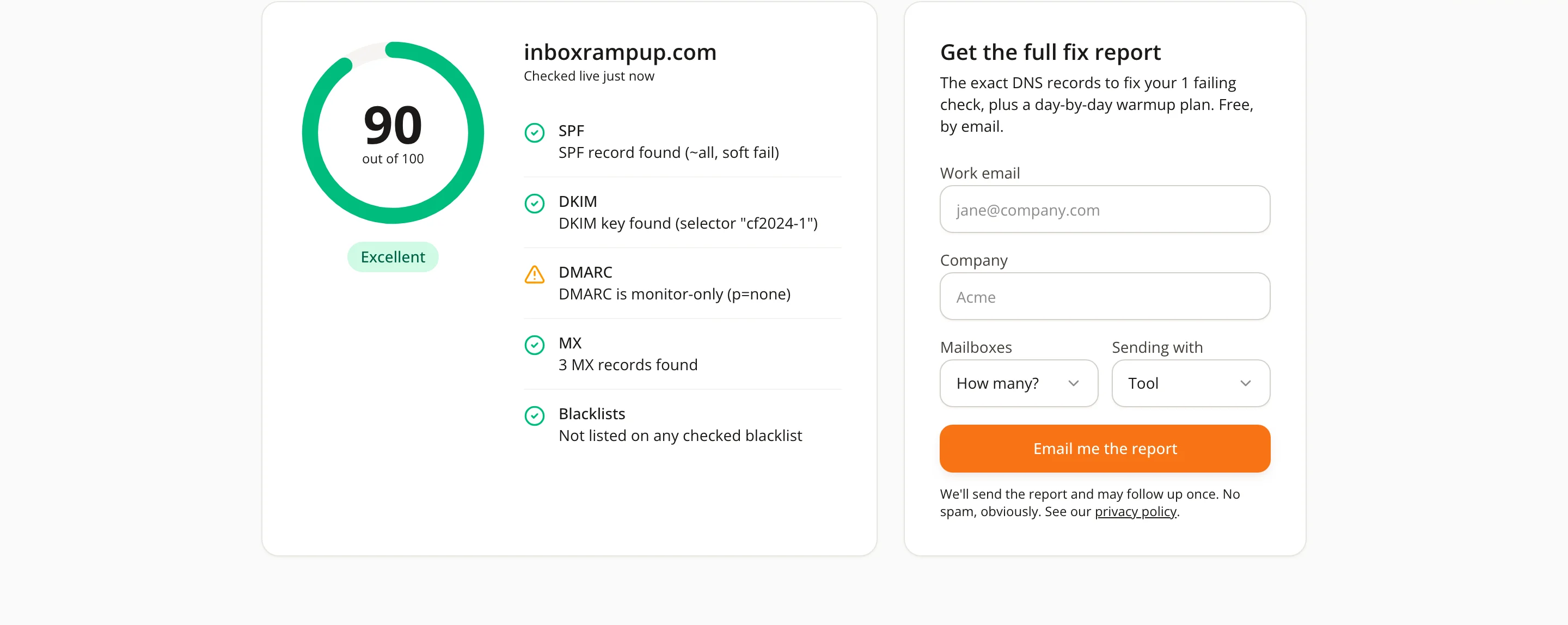
spf=pass,dkim=passanddmarc=passin the authentication results, and check that the domains named match your From domain. - Run a free check. InboxRampUp's free deliverability checker tests a domain's SPF, DKIM, DMARC, MX and blacklist status and shows what it found.
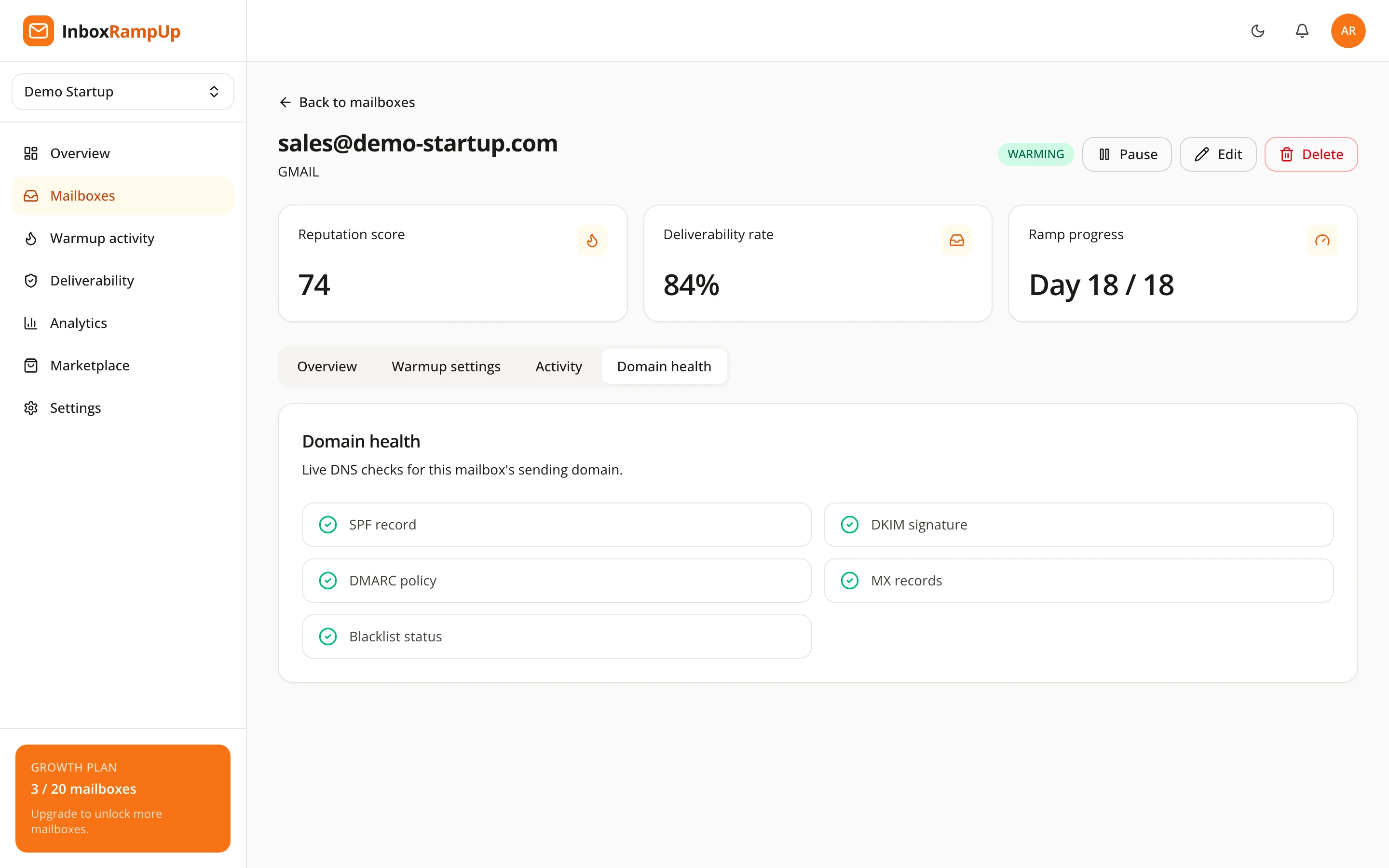
Once your mailboxes are connected, the same checks run per domain inside the app, so you see a problem when it appears rather than after a campaign underperforms.
Authentication is the floor, not the ceiling
Passing SPF, DKIM and DMARC makes you eligible to be trusted. It does not make you trusted. A brand-new domain with perfect records still has no sending history, which is why it needs a gradual warmup before real campaigns. Our guide on how to warm up a new email domain covers that next step.

Frequently asked questions
Do I need all three of SPF, DKIM and DMARC?
Google says all senders need SPF or DKIM, bulk senders need all three, and it recommends setting up all three for your domains. In practice, set up all three: they cost little and each covers gaps in the others.
Can I have more than one SPF record?
No. Publish one SPF record per domain and merge every sending service into it. Two records cause an SPF error.
Is DMARC p=none good enough?
It is a good first step because it gives you reports without risking legitimate mail, but it does not tell receivers to act on spoofed mail. Treat it as a starting point and move toward quarantine or reject once the reports show all your senders pass.
Does passing authentication guarantee inbox placement?
No. Authentication proves identity. Where a message lands also depends on your sending reputation, recipient engagement, complaints and content.
How often should I recheck my records?
Whenever you add or remove a sending tool, change DNS providers or rotate DKIM keys, and as a routine check before launching a new campaign.
Check your domain, then build the reputation
Start with the free deliverability checker to see where your SPF, DKIM and DMARC stand today. When you are ready to warm up your mailboxes and watch their health in one place, start a free trial. No credit card is required, and setup takes under two minutes.
- email deliverability
- spf
- dkim
- dmarc
- email authentication