Email Bounce Rate: Hard vs Soft Bounces and What to Do About Them
· 8 min read

Your email bounce rate is the share of the messages you send that never reach the recipient's mail server in the first place. It is one of the few deliverability numbers you can read straight from your own sending logs, and one of the first places a problem shows up. A campaign with a bad list, a broken DNS record or a sudden jump in volume will usually announce itself in bounces before anything else.
This guide explains what a bounce actually is, how hard and soft bounces differ, how to read the SMTP codes in a bounce message, and what to do when the numbers look wrong. It is written for founders, SDR leads and agency teams who send cold or B2B email and want to keep their domains healthy.

What an email bounce is (and what it isn't)
A bounce is a delivery failure that the receiving side reports back to you. Either the recipient's server refuses the message while your server is still talking to it, or it accepts the message and later sends a failure notice. In both cases the message did not land anywhere, not even in spam.
That last point matters. A message that goes to the spam folder was delivered. It does not count as a bounce, and your sending tool will not flag it. Bounces and spam placement are two separate problems with two separate fixes, and mixing them up is a common reason teams chase the wrong cause. If your mail is arriving but landing in the junk folder, start with our spam recovery plan instead.
The simple formula for bounce rate is bounced messages divided by messages sent, over the same period. Track it per mailbox and per domain, not just across the whole account. One bad inbox can hide inside a healthy-looking average.
Hard bounces vs soft bounces
Email standards draw the line between permanent and temporary failures. The SMTP specification, RFC 5321, has the server return a reply that indicates whether a failure is permanent or temporary, and the three-digit reply codes follow the same split: codes starting with 4 are transient, codes starting with 5 are permanent.
The enhanced status codes in RFC 3463 say the same thing in a more detailed form. A 4.x.x code is a "persistent transient failure": the message as sent is valid, but a temporary condition has delayed or stopped delivery, and trying again later may succeed. A 5.x.x code is a permanent failure, one that "is not likely to be resolved by resending the message in the current form."
In practice that gives you two kinds of bounce.
Hard bounces
A hard bounce is a permanent failure. A typical cause is an address that does not exist. RFC 3463 defines 5.1.1 as "bad destination mailbox address": the mailbox specified in the address does not exist. Other causes include a domain that has no mail servers, a typo in the address, or a recipient server that has blocked you outright.
Retrying a hard bounce does nothing except add another failure to your record. The right response is to remove the address from your list straight away.
Soft bounces
A soft bounce is a temporary failure. Typical causes are a full mailbox, a recipient server that is down or busy, or a message that is too large. RFC 3463 describes the "mailbox full" status (X.2.2) as one that should be used as a persistent transient failure, because the recipient can free up space and the next attempt may work.
Your sending server normally retries soft bounces for a while before giving up. If the problem clears, the message goes through and you never notice. If it does not, the message is eventually reported as undeliverable. An address that soft-bounces repeatedly across several campaigns should be treated like a hard bounce candidate, not kept forever.
The grey zone: policy and reputation blocks
Some bounces look technical but are really a verdict on you. Google's email sender guidelines list several of them. A 550 with the code 5.7.1 means the sending server's IP address is on a suspended list. A 5.7.26 can mean your message was unauthenticated, and a 421 with 4.7.0 means the sending IP is not on the allowed list for the recipient's domain. For Gmail's rate limits, the same page points to the 4.7.28 code.
These are not "bad address" problems and removing recipients will not fix them. They point to authentication, IP or domain reputation, or sending behavior. If you see them, read SPF, DKIM and DMARC explained and check whether your domain is on a blacklist.
How to read a bounce message
Every bounce message contains a status code and a short explanation. Learn to read the first two parts and you will diagnose most of your problems in a minute.
- The class digit. 4 means temporary, 5 means permanent.
- The subject digit. The middle number groups the failure: addressing problems, mailbox problems, mail-system problems, network problems and policy problems each have their own range in RFC 3463.
- The human-readable text. It is not standardized, but it often names the real reason in plain English, such as "user unknown" or "mailbox full".
Export your bounces, group them by code and look at the top three reasons. A pile of 5.1.1 errors points at your list. A pile of 5.7.x errors points at your authentication or reputation. A pile of 4.2.2 errors is mostly the recipients' problem and will mostly resolve itself.
What causes a high bounce rate
When bounce rates climb, the cause is nearly always one of five things.
- A poor-quality list. Scraped, purchased or very old contacts are full of dead addresses. Google's guidance for senders is to avoid buying addresses from other companies and to email only people who opted in.
- No verification at signup or import. Google recommends confirming each recipient's address before subscribing them, and Yahoo's sender best practices suggest double or confirmed opt-in to reduce invalid recipients.
- Stale contacts. People change jobs and companies close. A list that performed well a year ago will have a lot more dead addresses today.
- Broken or missing authentication. Missing SPF, DKIM or DMARC can lead to policy rejections that show up as 5.7.x bounces.
- A sudden volume jump. Google's advice if messages start bouncing or being deferred is to reduce your sending volume until the SMTP error rate decreases. Pushing harder makes the problem worse.
How to lower your bounce rate
You do not need a complicated system. A few habits cover most of it.
- Remove hard bounces immediately. Never send to an address that returned a permanent failure. Google recommends automatically unsubscribing recipients who have multiple bounced messages, and Yahoo advises removing invalid recipients promptly.
- Set a limit for soft bounces. Pick a number of consecutive soft bounces after which an address is suppressed. Review that rule every quarter.
- Verify new addresses before you send. Check format and domain, and use confirmation where the address comes from a form you control.
- Refresh old lists in small batches. Start with a small segment and watch the bounce report before you send to the rest.
- Authenticate every sending domain. Publish SPF, DKIM and DMARC records and check them regularly.
- Ramp volume gradually. A new domain or mailbox should not go from zero to hundreds of messages a day. Read our warmup schedule guide for how that ramp works.
- Pause and investigate when the numbers jump. Reduce volume, find the pattern in the bounce codes and fix the cause before you resume.
If you send cold email, one more point: a clean list is not just a technical goal. Yahoo warns that mailing people who are not reading your messages harms your delivery metrics and reputation, so unengaged contacts belong on the same cleanup list as bounced ones.
Where bounces fit in your sender reputation
Mailbox providers watch how senders behave. Bounces are one signal among several, alongside spam complaints, engagement and authentication. We cover how those signals combine in what moves sender reputation. The practical takeaway is that a high bounce rate tells providers you are sending to addresses you have not checked, which is how list-buying and careless scraping behave.

Catching problems at the DNS level
Some bounces are caused by your own setup, not by your recipients. Missing or misconfigured records can lead to rejections, and a blacklisted domain or IP can turn good addresses into bounces.
InboxRampUp includes a live domain health check that tests SPF, DKIM, DMARC, MX and blacklist status for the domain behind each connected mailbox, so you can see a DNS problem before it turns into a pile of 5.7.x bounces.
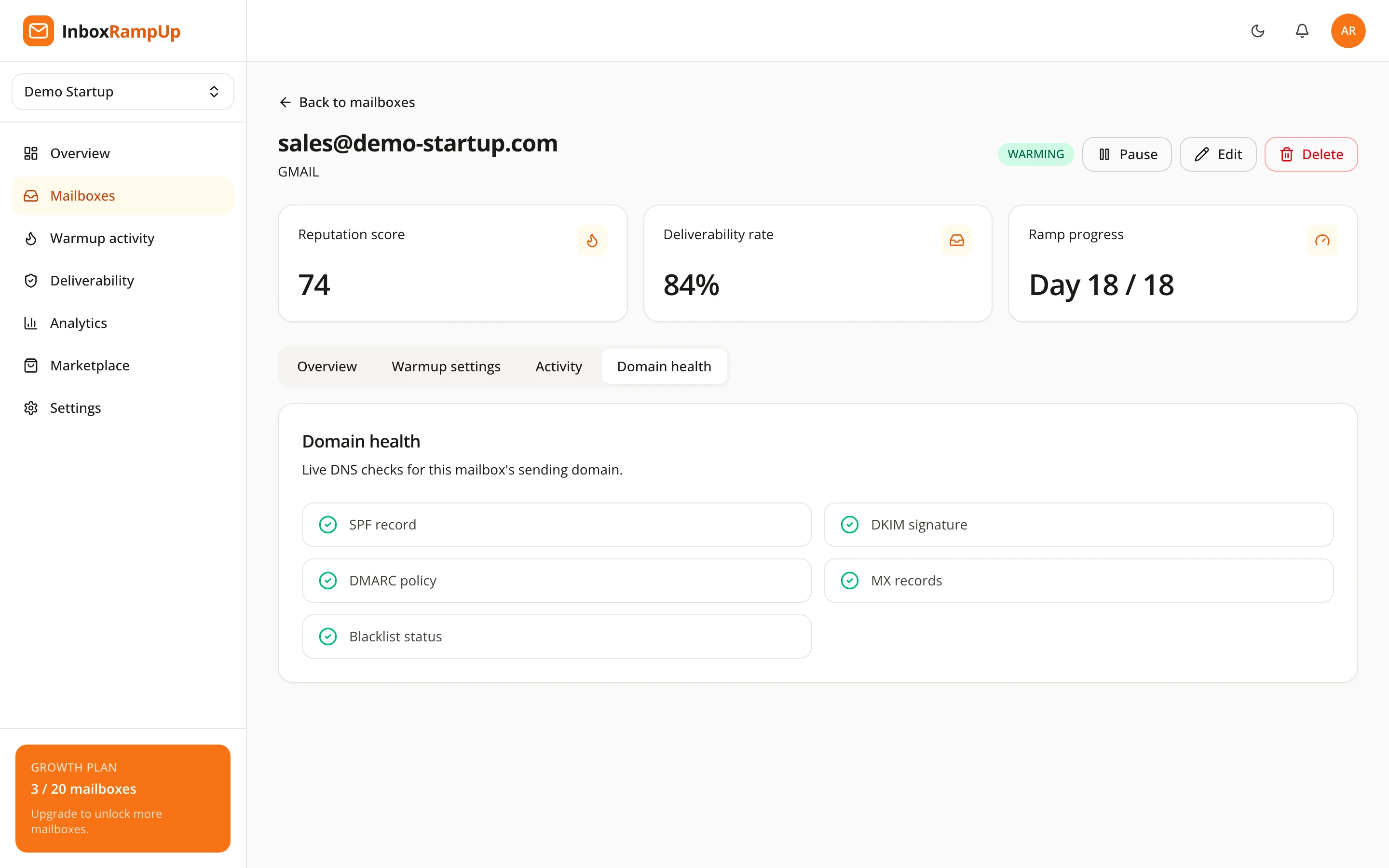
You can also run the free deliverability checker on any domain without signing up.

FAQ
What is a good email bounce rate?
There is no single official threshold that every provider publishes, so we do not quote one. The useful approach is to track your own rate per domain, keep it as low as your list quality allows, and investigate any sudden rise. Yahoo's best practices ask bulk senders to keep spam complaints below 0.3%, but neither Google's nor Yahoo's page sets a bounce threshold.
Are soft bounces bad?
A single soft bounce is normal. A full mailbox or a short outage can cause one. Repeated soft bounces to the same address are a sign to suppress it, because the mailbox may be abandoned.
Do bounces affect sender reputation?
Yes. Mailbox providers look at how a sender behaves, and repeatedly sending to addresses that do not exist is a sign of poor list hygiene. That is why both Google and Yahoo advise removing bounced addresses.
Is a spam-folder message a bounce?
No. A message in the spam folder was delivered. A bounce means the message was not accepted or could not be delivered at all.
Should I retry a hard bounce?
No. RFC 3463 describes a permanent failure as one that is not likely to be resolved by resending the message in its current form. Remove the address.
Keep bounces low while you build reputation
A low bounce rate is the base layer of good deliverability: clean lists, working DNS and steady volume. If you are sending from a new domain or new mailboxes, InboxRampUp builds sender reputation with a gradual, timezone-aware warmup, and a live domain health check shows you what to fix. Start a free trial with no credit card, or run the free deliverability checker on your domain today.
- email bounce rate
- hard bounce
- soft bounce
- email deliverability
- list hygiene